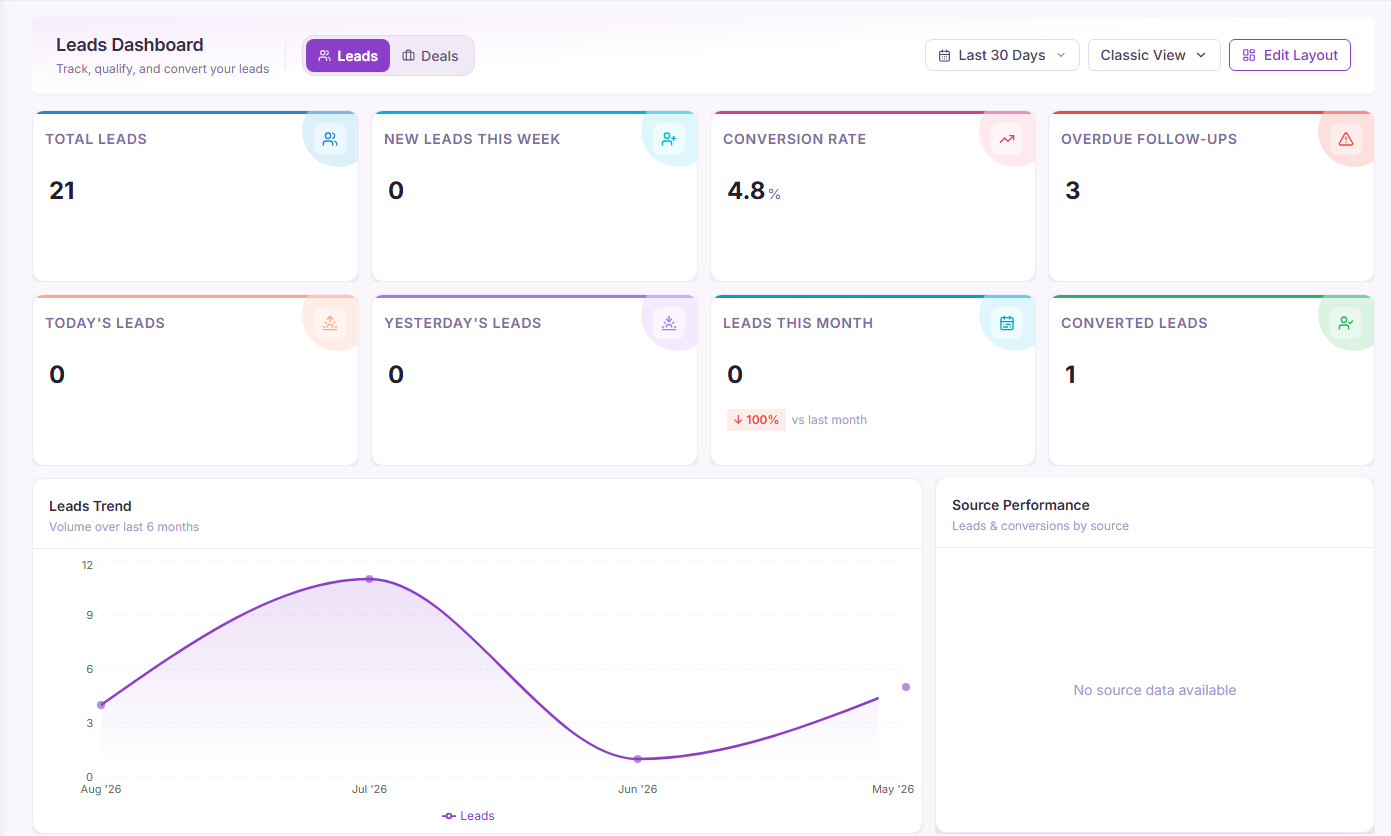
Most sales teams don't lose deals because they lack leads. They lose them because a lead comes in through a Meta ad, the follow-up happens over WhatsApp, a quote goes out by email, and three days later nobody can say for certain what was promised or when. The information exists — it's just spread across four apps and two people's memory.
Pixelize CRM exists to close that gap. It's an org-scoped sales platform — leads, contacts, accounts, deals, tasks, campaigns and workflow automation sit in one place, permissioned by role, with WhatsApp, Meta and Google connected in rather than bolted on. This guide walks through what it does, how the pieces fit together, and where to start if you're setting it up for your own team.
What is Pixelize CRM?
Pixelize CRM is a business CRM built around one idea: every account that logs in belongs to an organisation, and everything inside it — leads, deals, dashboards, even which menu items appear — is scoped to that organisation and the permissions its admin has granted. A sales rep sees their pipeline and their tasks; an org admin sees usage across the whole team and controls who can see what.
That org-scoping is what lets the same platform serve a five-person startup and a multi-branch sales floor without either one drowning in the other's settings. Underneath, it's a fairly conventional sales CRM shape — leads convert to deals, deals move through a pipeline, tasks keep the next action visible — but the integrations and the automation are what remove the manual glue work most teams are still doing by hand.
Core features, walked through
Nine pieces make up the platform. Here's what each one actually does.
Lead management
Leads land in Pixelize CRM from whichever channel they came in on — a form, an ad, a referral, a WhatsApp message — and carry a status from first contact through qualification. Reps working by urgency use a simple read on each lead: hot for one ready to buy now, warm for one still comparing options, cold for one that needs nurturing before it's worth a call. Filtering on that status is usually the first screen a rep opens in the morning.
Contacts & accounts
Contacts are the people; accounts are the companies they belong to. Splitting the two matters the moment a single company has more than one decision-maker — a renewal conversation with the finance contact shouldn't get lost because the original thread was logged against the technical contact instead.
Deal pipeline
Once a lead is qualified, it becomes a deal and moves through a pipeline of stages — the CRM's version of a sales funnel, but per-deal and per-rep rather than an aggregate chart. Deal value, stage and owning rep roll up into forecasting, so a stalled deal is visible the week it stalls, not at the end of the quarter.
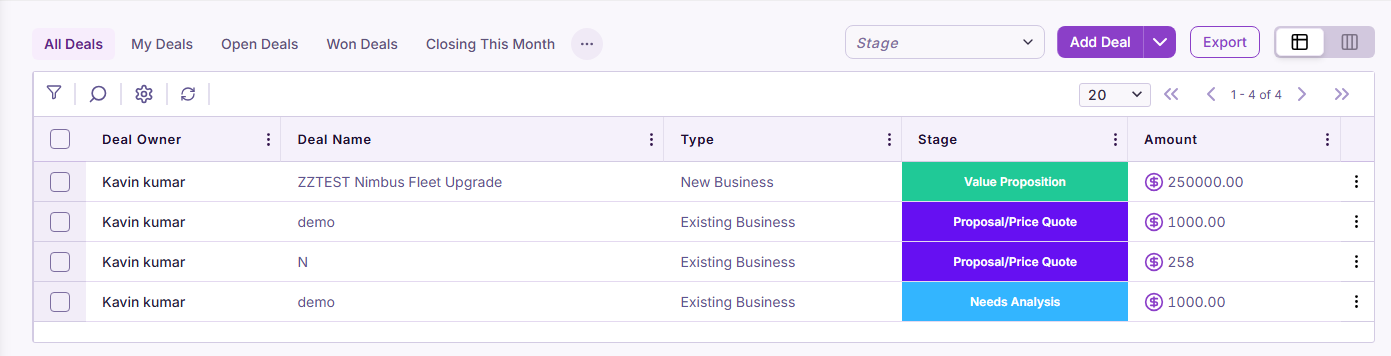
Tasks & campaigns
Tasks tie a concrete next action — a call, a follow-up email, a proposal deadline — to a lead, deal or contact, so "someone should reach out" turns into an assigned, due-dated item on a specific rep's list. Campaigns group outbound activity — an email sequence, a WhatsApp broadcast, a seasonal push — and report back which leads it actually touched.
Workflow automation
Workflows are the if-this-then-that layer: a lead assigned round-robin the moment it's created, a task auto-generated when a deal sits in one stage too long, a WhatsApp message sent the instant a form is submitted. This is usually where the real time savings show up — not in any one feature, but in the follow-ups nobody has to remember to send.
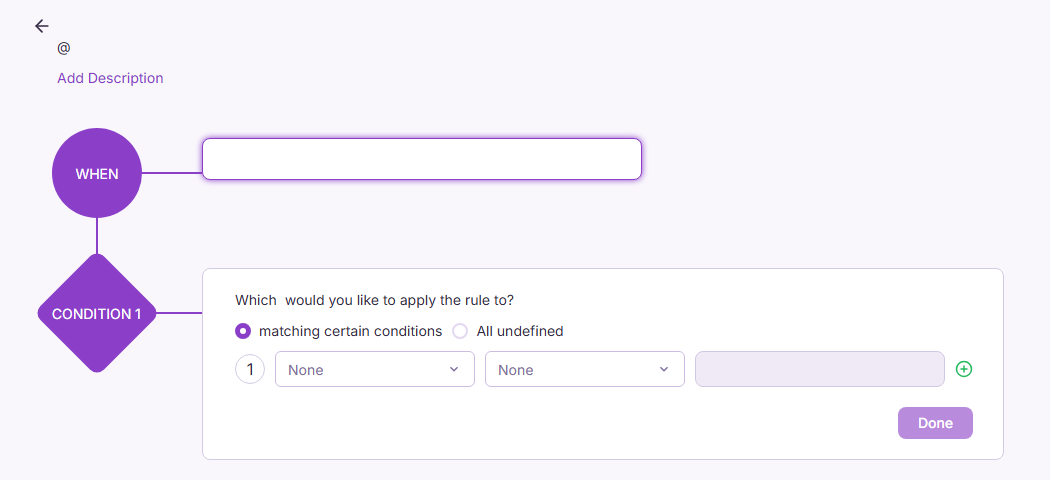
WhatsApp, Meta & Google integrations
WhatsApp, Meta and Google connect directly into the CRM rather than sitting alongside it. A Meta lead ad creates a lead without anyone re-typing it from an export; a WhatsApp conversation logs against the right contact instead of living only on someone's phone; Google integration keeps the CRM in step with the calendar and mail your team already uses. The point isn't fewer tools — it's that the tools you already use stop needing a manual bridge into the CRM.
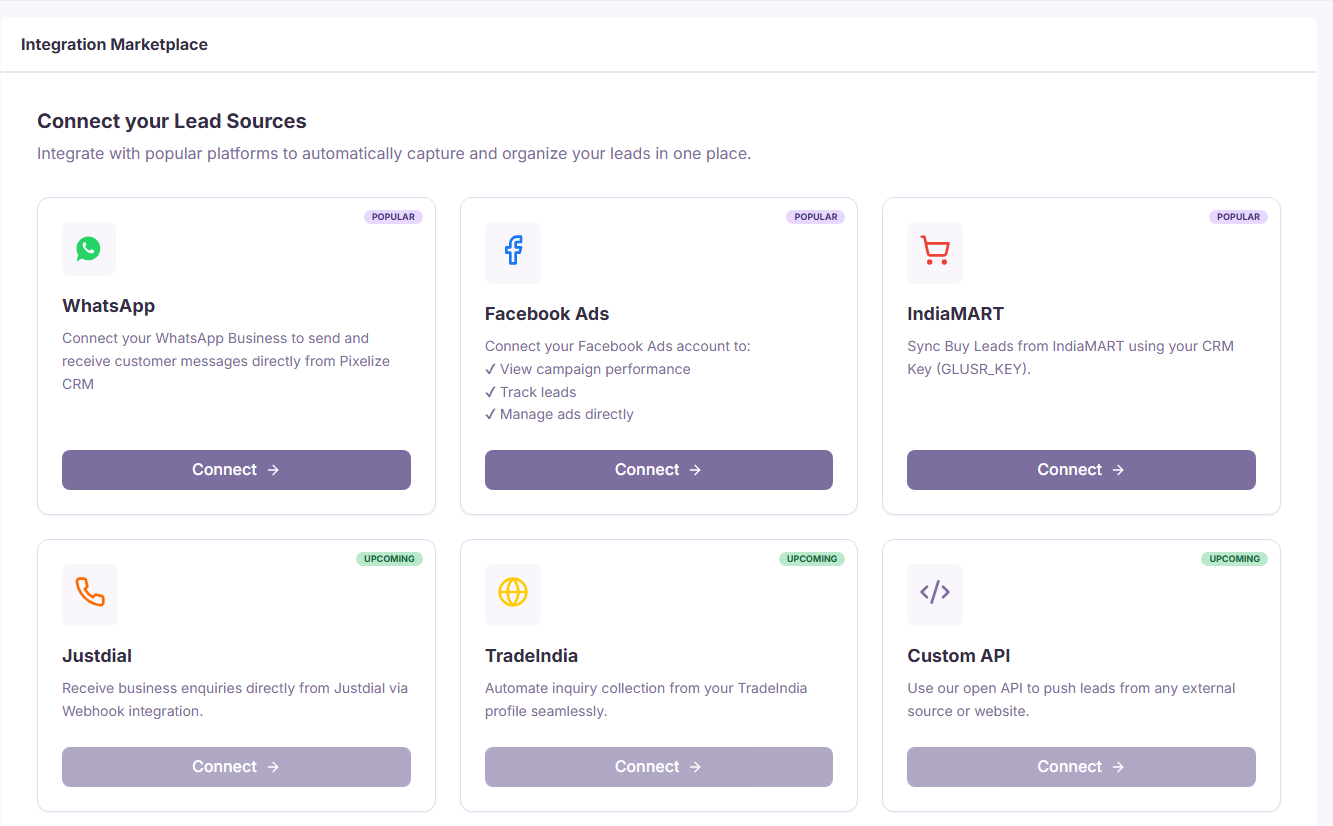
Every one of those pieces is gated by role. An org admin decides who sees the full pipeline, who only works their own leads, and who administers integrations — permissions live at the org level, not as a setting each rep configures for themselves.
Why sales teams choose it
One system of record. Leads, deals, tasks and conversations stay attached to the same contact, so context doesn't get rebuilt from memory every time someone new picks up the account.
Less manual follow-up. Workflow automation covers the reminders and hand-offs a spreadsheet never will.
Conversations where customers already are. WhatsApp and Meta integration meet leads on the channel they used to reach out, without a copy-paste step in between.
Permissions that scale with the team. Role-based, org-scoped access means adding a tenth rep doesn't mean re-explaining who can see what.
One dashboard for the whole pipeline. Value, stage and source roll up automatically instead of being rebuilt in a spreadsheet before Monday's meeting.
Getting started, in five steps
- 1
Set up your organisation. Create the org, invite your team, and assign roles so each person's permissions match what they actually do.
- 2
Connect your channels. Link WhatsApp, Meta and Google so new leads and conversations start landing in the CRM instead of a phone or shared inbox.
- 3
Import or create your first leads. Bring in what you're already tracking, or start fresh and let the integrations fill the pipeline from there.
- 4
Build your pipeline stages. Set deal stages that match how your team actually sells, not a generic default.
- 5
Turn on one workflow. Start with a single automation — lead assignment or a stalled-deal reminder — and add more once the team trusts it.
Frequently asked questions
None of this replaces a sales team's judgment — it just means the judgment gets applied to a pipeline that's actually up to date, instead of one that's three tabs and a notebook away from the truth.
Pixelize is built in Tiruppur, Tamil Nadu, and used by growing teams across Coimbatore, Tiruppur, Erode and Salem — see the full feature set on the Pixelize CRM page.